Anime Movie Poster Toy Diorama
Share

Anime Movie Poster Toy Diorama

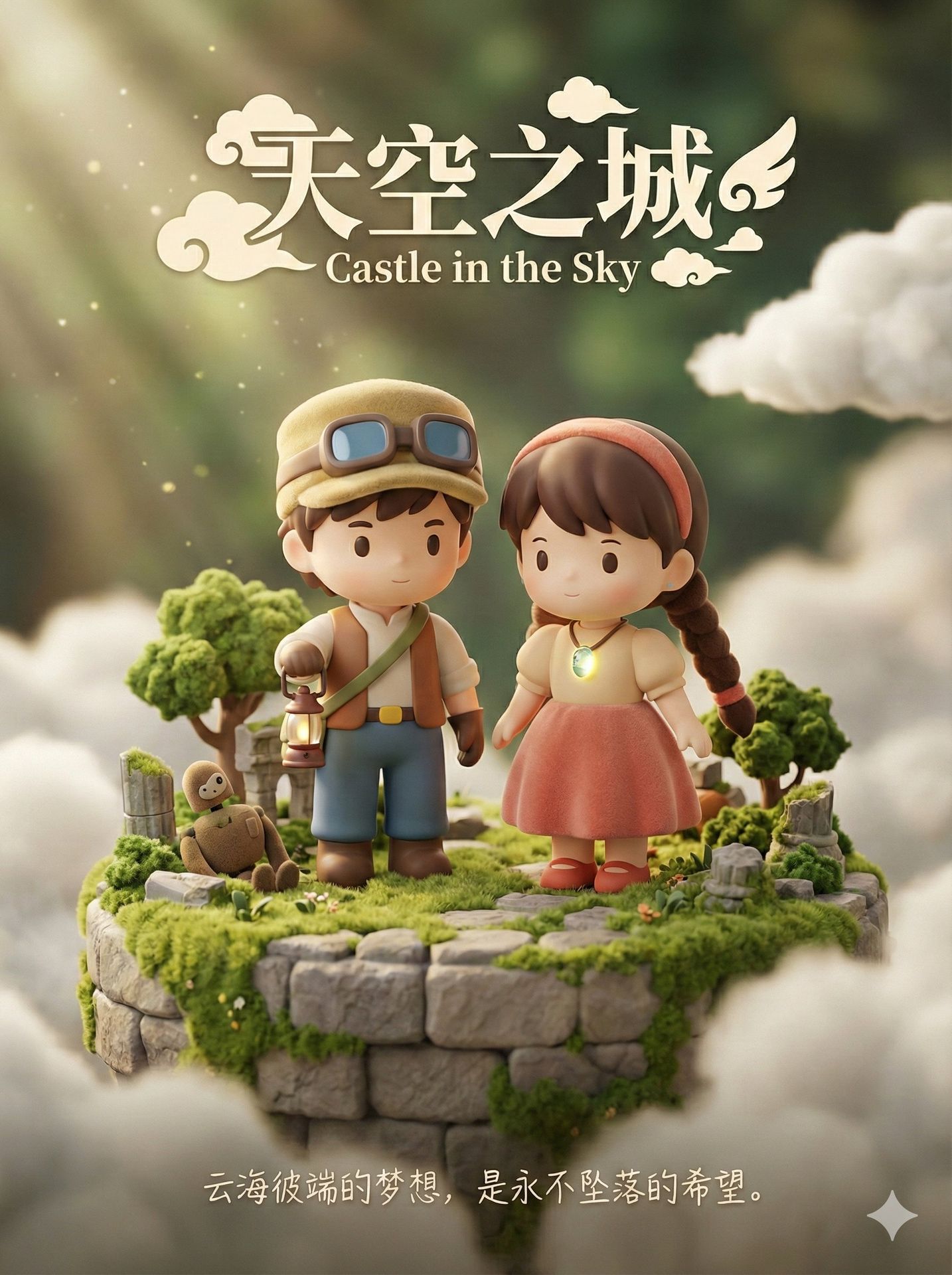
Create a high-resolution 3D render of a cute Q-version designer toy movie poster featuring collectible figurines on a detailed miniature diorama with dreamlike atmosphere.

A high-resolution 3D digital render in professional product photography quality of a cute Q-version designer toy movie poster for {Movie Name}. The center features collectible toy figurines of the main characters standing on a detailed miniature floating island diorama made of stone blocks, heavily overgrown with soft flocked moss, tiny miniature trees, and ancient ruins. A tiny, weathered plush robot soldier figure is half-buried in the moss near them. The male character is a Q-version figure wearing his mining vest, goggles pushed up on a soft flocked texture cap, holding a small, glowing lantern. The female character, next to him, wears a dress with a soft flocked skirt and her glowing blue levitation stone pendant; her long braid is made of soft plush material. Dramatic sunbeams with dappled light filter through surrounding soft clouds and the scene. At the top center, stylized cute decorative serif typography reads the movie title in large characters, with English translation in smaller text directly below it, integrated with small cloud and wing motifs. At the bottom center, placed directly against the soft, blurred cloudy background, clean, simple, elegant white handwritten style text reads a poetic tagline. There are no decorative lines, scrolls, or ornaments surrounding this bottom text line. The overall atmosphere is warm, calm, healing, and dreamlike with a very shallow depth of field, focusing sharply on the toys.
Author:sundyme

Generate with this prompt

Describe your image in detail

1449/2000

Choose the aspect ratio you want to use

Choose the AI model for generation

Generated Result

Your generated images will appear here

How to Use This Prompt

Creating stunning image variations is quick and intuitive:

1

Step 1: Upload Your Photo

Select an image from your device to use as the starting point. For best results, use clear images with good lighting and resolution that match your desired output aspect ratio.

2

Step 2: Describe Your Changes

Write a prompt describing how you want to transform the image. Be specific about style, colors, modifications, or artistic effects you want to apply.

3

Step 3: Adjust Settings

Fine-tune transformation parameters like aspect ratio, output count, and transformation strength to control how closely the result resembles your original image.

4

Step 4: Generate and Download

Click generate and watch as AI transforms your image. Browse the results, select your favorites, and download high-quality versions ready for use.

Ready to Create Your Own?

Use this prompt to transform your images with AI. Upload your photo and let the magic happen.