AI Weerkaart Generator
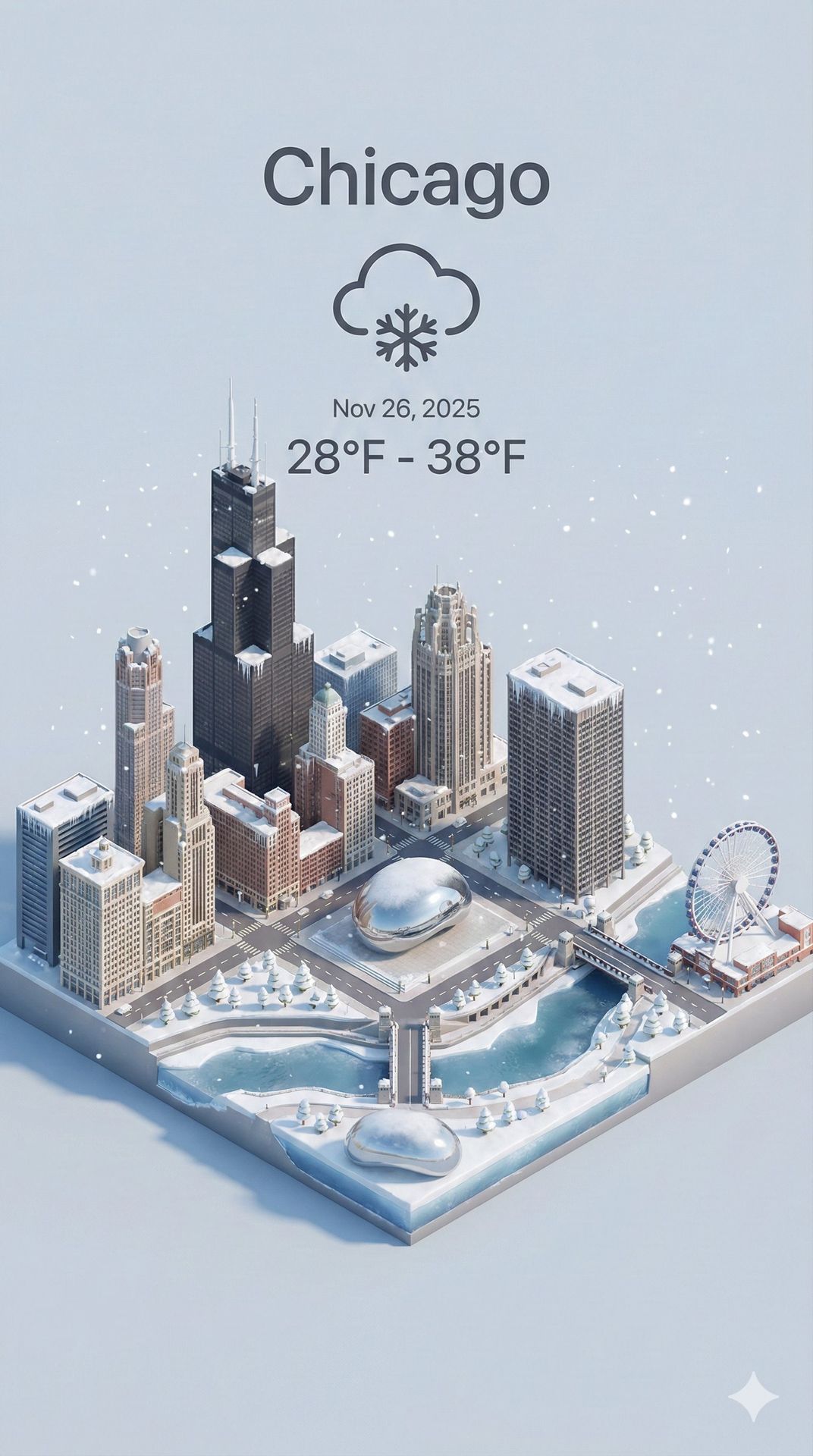
Genereer dynamisch een actuele weerkaart op basis van een opgegeven stadsnaam. Bevat een prachtig 3D isometrisch miniatuur cartoon stadslandschap met iconische bezienswaardigheden, realtime weerweergave en zachte pastelkleuren in verticaal 9:16 formaat. Tips: • Stadsnaam: Voer de stadsnaam in de oorspronkelijke taal in voor de beste resultaten (bijv. "東京", "Paris", "北京") • Huidige datum: AI datumdetectie kan onnauwkeurig zijn — voer handmatig de datum van vandaag in JJJJ-MM-DD formaat in voor precisie • De gegenereerde kaart toont temperatuur, weericoon en datum over een prachtige 3D stadsscène
Presenteer een helder, 45° bovenaanzicht van een verticale (9:16) isometrische miniatuur 3D cartoon scène, met iconische bezienswaardigheden gecentreerd in de compositie om nauwkeurige en delicate modellering te tonen.

De scène bevat zachte, verfijnde texturen met realistische PBR-materialen en zachte, levensechte licht- en schaduweffecten. Weerelementen zijn creatief geïntegreerd in de stedelijke architectuur, waardoor een dynamische interactie ontstaat tussen het stadslandschap en de atmosferische omstandigheden, wat een meeslepende weersfeer creëert.

Gebruik een schone, uniforme compositie met minimalistische esthetiek en een zachte, effen achtergrond die de hoofdinhoud benadrukt. De algehele visuele stijl is fris en rustgevend.

Toon een prominent weericoon bovenaan in het midden, met de datum (x-kleine tekst) en temperatuurbereik (middelgrote tekst) eronder. De stadsnaam (grote tekst) is direct boven het weericoon gepositioneerd. De weerinformatie heeft geen achtergrond en kan subtiel overlappen met de gebouwen.

De tekst moet overeenkomen met de oorspronkelijke taal van de ingevoerde stad.
Haal de huidige weersomstandigheden op voor de opgegeven stad voordat je rendert.

Stadsnaam: new york
Huidige datum:
Genereer met deze prompt
Je gegenereerde afbeeldingen verschijnen hier
Gerelateerde Prompts
Hoe gebruik je deze Prompt
Het maken van verbluffende beeldvariaties is snel en intuïtief:
Step 1: Upload je foto
Selecteer een afbeelding van je apparaat als startpunt. Voor de beste resultaten gebruik je heldere afbeeldingen met goede belichting en resolutie die overeenkomen met je gewenste uitvoerbeeldverhouding.
Step 2: Beschrijf je wijzigingen
Schrijf een prompt die beschrijft hoe je de afbeelding wilt transformeren. Wees specifiek over stijl, kleuren, aanpassingen of artistieke effecten die je wilt toepassen.
Step 3: Pas instellingen aan
Verfijn transformatieparameters zoals beeldverhouding, aantal uitvoer en transformatiesterkte om te bepalen hoe nauw het resultaat je originele afbeelding benadert.
Step 4: Genereer en download
Klik op genereren en zie hoe AI je afbeelding transformeert. Blader door de resultaten, selecteer je favorieten en download versies van hoge kwaliteit die klaar zijn voor gebruik.
Klaar om je eigen te maken?
Gebruik deze prompt om je afbeeldingen te transformeren met AI. Upload je foto en laat de magie gebeuren.