Sweet Scrapbook Fashion Portrait Collage
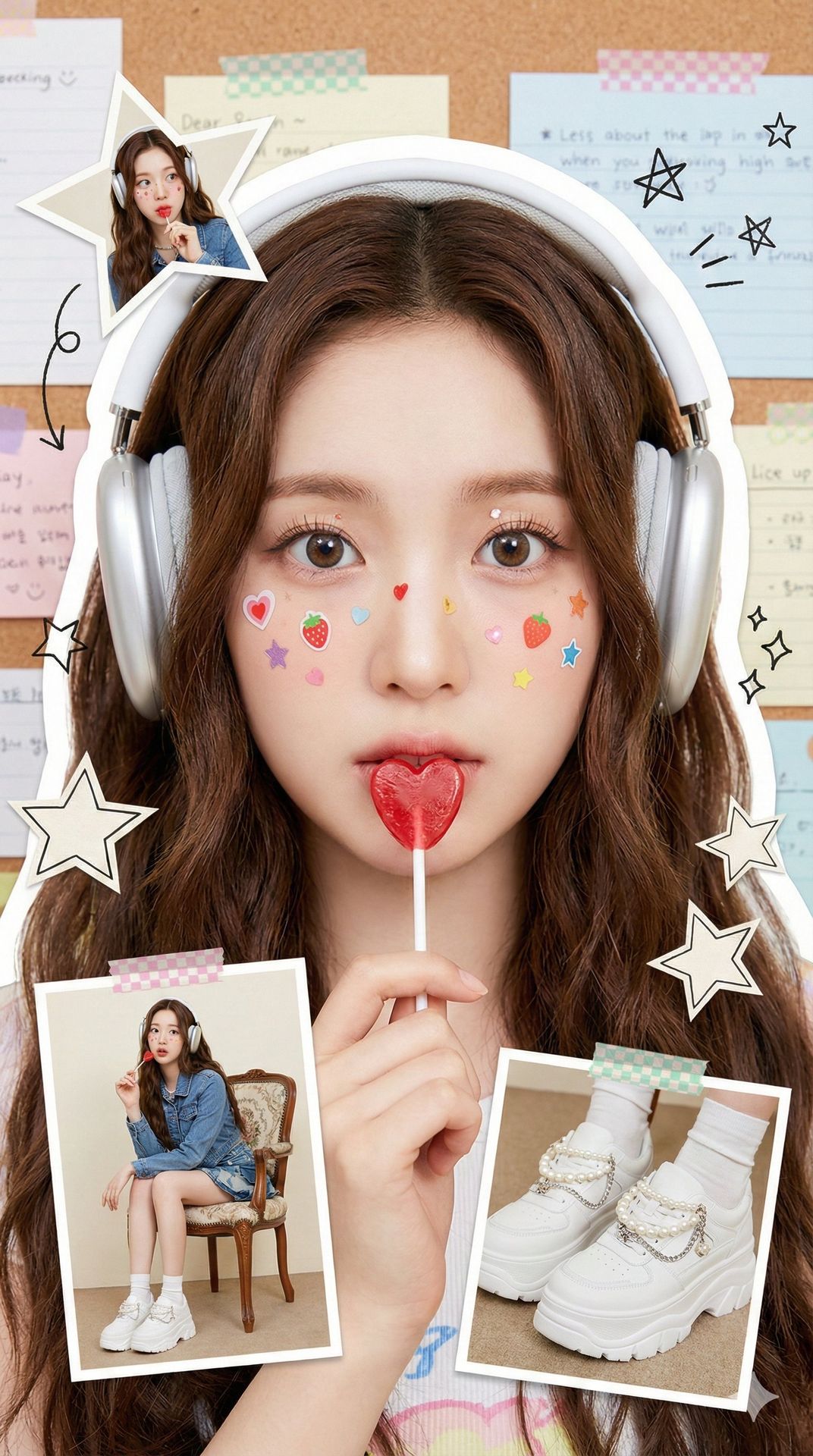
Generate a playful, stylish portrait collage that replicates a person's features from your uploaded photo, with scrapbook-inspired decorations and Korean magazine-style aesthetic.
Recreate the character's appearance from the uploaded photo, accurately preserving hairstyle, facial details, and expression. Present it as a bright, fresh, and youthful fashion portrait in a vertical collage format.

She wears trendy youthful clothing, holding a red lollipop near her lips. Her face is playfully decorated with cute colorful stickers shaped like hearts, strawberries, and stars, creating a lively, stylish atmosphere. Her eyes are expressive, makeup is soft and natural, and her face shows a dreamy expression.

The background features a corkboard covered with colorful sticky notes and memo papers, creating a campus and journaling vibe. Hand-drawn doodles of stars, arrows, and similar elements add to the cute, magazine-style aesthetic. Surrounding the main subject are ~4 scrapbook-style photo frames in various shapes, showcasing different outfits and poses of the same person.

Overall, the image should utilize soft studio lighting, high-definition details, a clean-cut scrapbook aesthetic, Korean fashion-magazine style, and vibrant colors.

Aspect ratio: 9:16.
Generate with this prompt
Your generated images will appear here
Related Prompts
How to Use This Prompt
Creating stunning image variations is quick and intuitive:
Step 1: Upload Your Photo
Select an image from your device to use as the starting point. For best results, use clear images with good lighting and resolution that match your desired output aspect ratio.
Step 2: Describe Your Changes
Write a prompt describing how you want to transform the image. Be specific about style, colors, modifications, or artistic effects you want to apply.
Step 3: Adjust Settings
Fine-tune transformation parameters like aspect ratio, output count, and transformation strength to control how closely the result resembles your original image.
Step 4: Generate and Download
Click generate and watch as AI transforms your image. Browse the results, select your favorites, and download high-quality versions ready for use.
Ready to Create Your Own?
Use this prompt to transform your images with AI. Upload your photo and let the magic happen.